
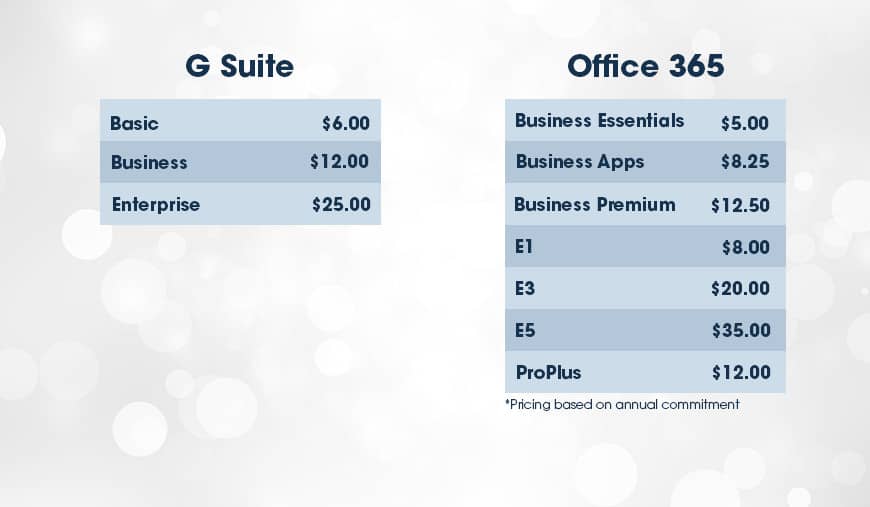
 One important factor many businesses look for when choosing between G Suite and Office 365 is email. All three of G Suite’s plans offer business email, while you should steer clear of Office 365’s Business Apps and ProPlus plans if you are looking for email.
Looking at performance, both Gmail and Outlook will provide reliable service that links to their calendars. Gmail lives strictly online, whereas Outlook has an online and desktop version.
When you are comparing the two online platforms, both are pretty comparable. However, when you throw in Outlook’s offline version, it is more feature-heavy than Gmail and allows for better sorting, grouping, and labeling with advanced rule capabilities.
But, where Gmail might come ahead is in their clean interface, variety of third-party add-ons, and powerful search functionality that allows you to quickly find emails and documents (it is Google after all, who wouldn’t expect their search feature to be fantastic). Gmail also utilizes AI to auto-complete phrases and personal information that many users might find helpful.
Overall, if you’re looking for basic email functionality and a seamless user experience, Gmail might be better. However, if you are looking for more flexibility, a variety of features, and the idea of a desktop app appeals to you, Outlook might be your best bet.
One important factor many businesses look for when choosing between G Suite and Office 365 is email. All three of G Suite’s plans offer business email, while you should steer clear of Office 365’s Business Apps and ProPlus plans if you are looking for email.
Looking at performance, both Gmail and Outlook will provide reliable service that links to their calendars. Gmail lives strictly online, whereas Outlook has an online and desktop version.
When you are comparing the two online platforms, both are pretty comparable. However, when you throw in Outlook’s offline version, it is more feature-heavy than Gmail and allows for better sorting, grouping, and labeling with advanced rule capabilities.
But, where Gmail might come ahead is in their clean interface, variety of third-party add-ons, and powerful search functionality that allows you to quickly find emails and documents (it is Google after all, who wouldn’t expect their search feature to be fantastic). Gmail also utilizes AI to auto-complete phrases and personal information that many users might find helpful.
Overall, if you’re looking for basic email functionality and a seamless user experience, Gmail might be better. However, if you are looking for more flexibility, a variety of features, and the idea of a desktop app appeals to you, Outlook might be your best bet.
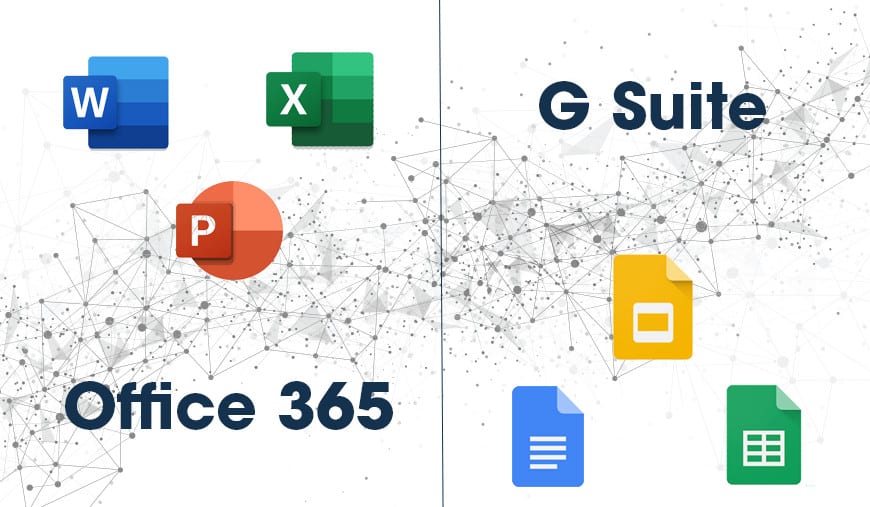 When it comes to the word processing, spreadsheet, and presentation tools offered by the two companies, again, both offer something different to users.
Google sticks to the idea of clean, user-friendly tools while Microsoft takes the route of creating feature-heavy programs with advanced capabilities.
With programs like Word, Excel, and PowerPoint, there is the advantage of familiarity. Many users have used these programs and are comfortable with them. However, an increasing number of individuals have also worked in Google Docs, Sheets, and Slides, so if you’re looking to shorten the learning curve, it really comes down to what your employees are most familiar with.
Looking specifically at spreadsheets, Excel is the clear winner if your organization requires complex number crunching. Google Sheets offers basic features for light tasks but doesn’t have the same advanced capabilities and power that Excel offers.
One aspect where Google might come ahead is in real-time collaboration. Google Docs, Sheets, and Slides all make it easy for users to work on the same project at the same time while seeing other’s changes and additions at the moment they are being made. In Google’s programs, you can also view past versions of documents so that no work is ever lost. Office 365’s programs also allow for improved collaboration, but maybe not to the same level as Google’s.
So, similarly to email, it all comes down to what your organization is looking for. If you need apps that will provide you with powerful features and capabilities, Office 365 is probably the way to go. On the other hand, if you only need these programs for light tasks, some of the more advanced features of Office 365 might go to waste. And if real-time collaboration is incredibly important to your organization, Google is a great choice for that.
When it comes to the word processing, spreadsheet, and presentation tools offered by the two companies, again, both offer something different to users.
Google sticks to the idea of clean, user-friendly tools while Microsoft takes the route of creating feature-heavy programs with advanced capabilities.
With programs like Word, Excel, and PowerPoint, there is the advantage of familiarity. Many users have used these programs and are comfortable with them. However, an increasing number of individuals have also worked in Google Docs, Sheets, and Slides, so if you’re looking to shorten the learning curve, it really comes down to what your employees are most familiar with.
Looking specifically at spreadsheets, Excel is the clear winner if your organization requires complex number crunching. Google Sheets offers basic features for light tasks but doesn’t have the same advanced capabilities and power that Excel offers.
One aspect where Google might come ahead is in real-time collaboration. Google Docs, Sheets, and Slides all make it easy for users to work on the same project at the same time while seeing other’s changes and additions at the moment they are being made. In Google’s programs, you can also view past versions of documents so that no work is ever lost. Office 365’s programs also allow for improved collaboration, but maybe not to the same level as Google’s.
So, similarly to email, it all comes down to what your organization is looking for. If you need apps that will provide you with powerful features and capabilities, Office 365 is probably the way to go. On the other hand, if you only need these programs for light tasks, some of the more advanced features of Office 365 might go to waste. And if real-time collaboration is incredibly important to your organization, Google is a great choice for that.
 Although Google might offer better real-time collaboration in their creation programs, Microsoft most likely edges them out in actual collaboration tools.
In G Suite, the main program offered for internal communication is Hangouts, while Office 365 offers Microsoft Teams. Microsoft Teams is very Slack-esque, meaning you can create group and one-on-one chats with the inclusion of sharing files effortlessly. It also allows for video-conferencing in your organization.
Google Hangouts also offers instant messaging and group chat features on a minimalist, clean design. However, some of the features provided by Teams are lacking in Hangouts. For instance, in Hangouts, group chats must be set up and managed by a single individual wherein Teams, users can create multiple channels that anyone can join.
Although Google might offer better real-time collaboration in their creation programs, Microsoft most likely edges them out in actual collaboration tools.
In G Suite, the main program offered for internal communication is Hangouts, while Office 365 offers Microsoft Teams. Microsoft Teams is very Slack-esque, meaning you can create group and one-on-one chats with the inclusion of sharing files effortlessly. It also allows for video-conferencing in your organization.
Google Hangouts also offers instant messaging and group chat features on a minimalist, clean design. However, some of the features provided by Teams are lacking in Hangouts. For instance, in Hangouts, group chats must be set up and managed by a single individual wherein Teams, users can create multiple channels that anyone can join.
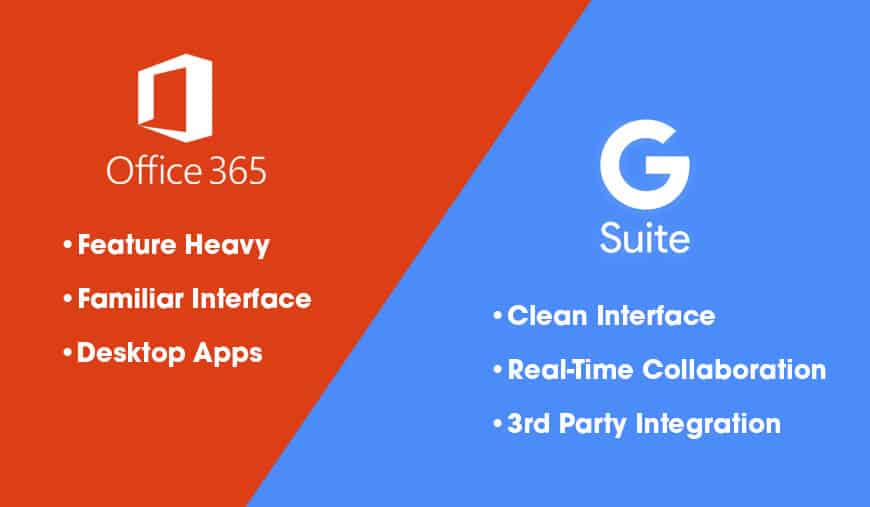 Overall, both G Suite and Office 365 offer fantastic tools to help improve your organization’s productivity and collaboration. When choosing between the two, it all pretty much comes down to two recurring themes:
